Print book templates · KDP · IngramSpark · Lulu
Format your print book in the right size, the first time.
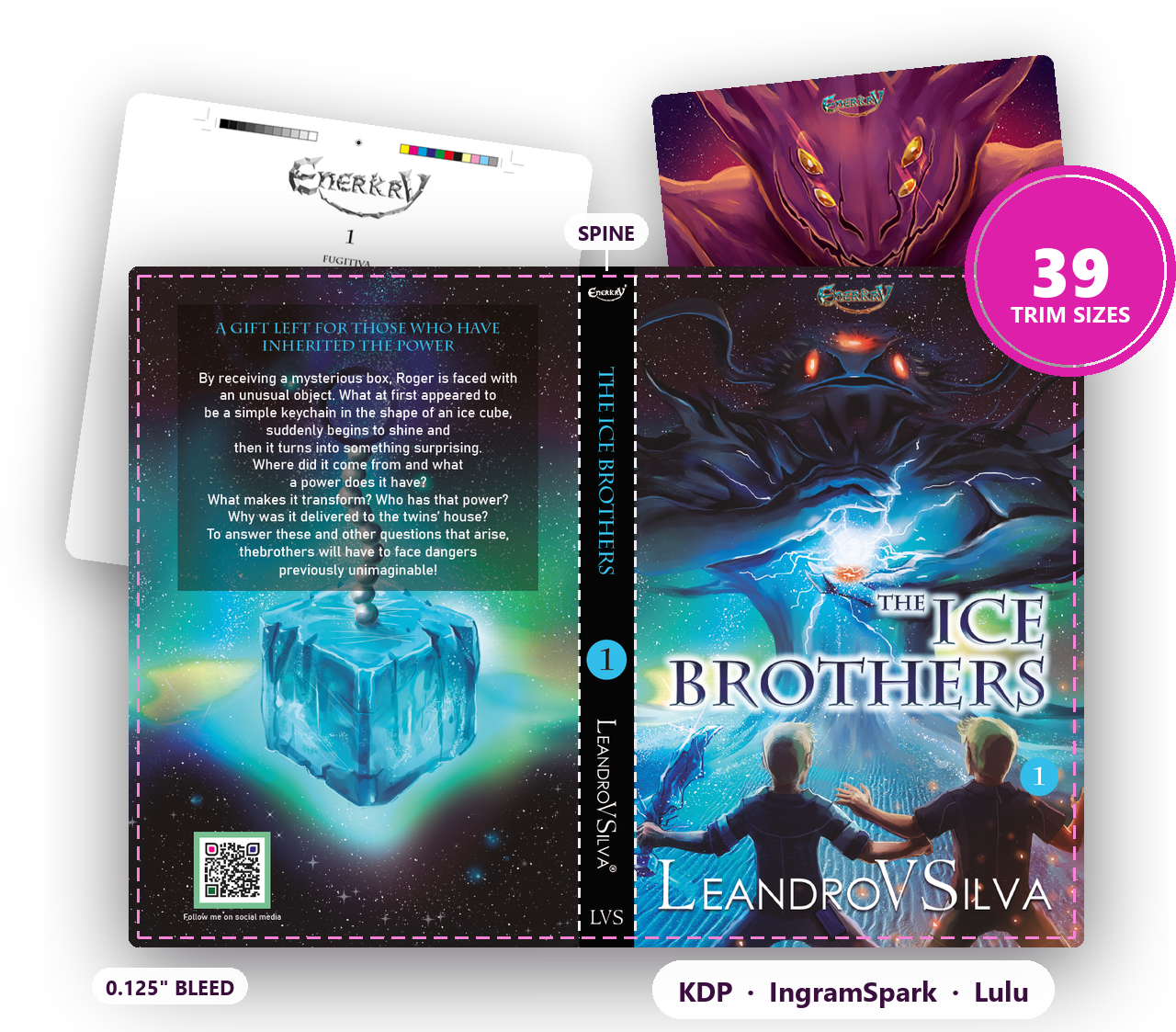
Ready-to-use book templates in 39 trim sizes for Amazon KDP, IngramSpark and Lulu, with trim, margins and bleed already set. Interiors for InDesign, Affinity (now free), Scribus and Word, plus cover templates for InDesign and Affinity.
Works with


Why authors use these templates
Skip the math. Keep the control.
Trim size, bleed, margins and spine are the part of self-publishing nobody enjoys. These templates handle it, and they go further than a blank page in the right size, so you can focus on your book.
One set for every platform
The same sizes work on Amazon KDP, IngramSpark and Lulu, and the chart shows which platform accepts each one. Expand your distribution without redoing your layout.
A book, not a blank page
Title page, copyright page, dedication, table of contents and chapter openings are already in place. Paste your text and keep going.
Interior and cover that match
Paperback cover templates with spine and bleed for every size in InDesign and Affinity, plus hardcover covers for the most popular sizes.
Trim sizes
39 trim sizes for the platforms authors actually use
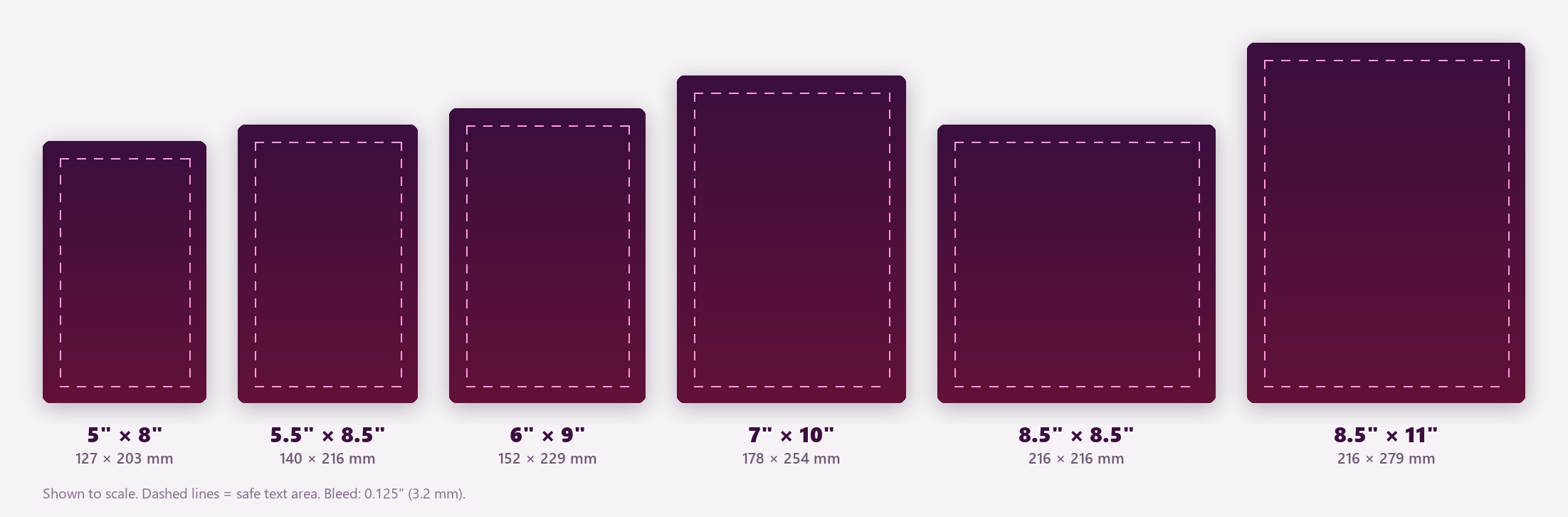
From the most popular 6 × 9 novel to square children’s books and landscape formats. Inches and millimeters for every size.
| Trim size | Millimeters | Amazon KDP | IngramSpark | Lulu |
|---|---|---|---|---|
| Most popular | ||||
| 5 × 8 in | 127 × 203.2 mm | ✓ | ✓ | ✓ |
| 5.25 × 8 in | 133.4 × 203.2 mm | ✓ | ✓ | — |
| 5.5 × 8.5 in | 139.7 × 215.9 mm | ✓ | ✓ | ✓ |
| 6 × 9 in | 152.4 × 228.6 mm | ✓ | ✓ | ✓ |
| Standard | ||||
| 5.06 × 7.81 in | 128.5 × 198.4 mm | ✓ | ✓ | — |
| 6.14 × 9.21 in | 156 × 233.9 mm | ✓ | ✓ | ✓ |
| 6.69 × 9.61 in | 169.9 × 244 mm | ✓ | ✓ | — |
| 7 × 10 in | 177.8 × 254 mm | ✓ | ✓ | ✓ |
| 7.44 × 9.69 in | 189 × 246.1 mm | ✓ | ✓ | ✓ |
| 7.5 × 9.25 in | 190.5 × 235 mm | ✓ | ✓ | — |
| 8 × 10 in | 203.2 × 254 mm | ✓ | ✓ | — |
| 8.5 × 11 in | 215.9 × 279.4 mm | ✓ | ✓ | ✓ |
| Non-standard | ||||
| 8.27 × 11.69 (A4) in | 210 × 297 mm | ✓ | ✓ | ✓ |
| 8.25 × 6 (landscape) in | 209.6 × 152.4 mm | ✓ | — | — |
| 8.25 × 8.25 in | 209.6 × 209.6 mm | ✓ | — | — |
| 8.5 × 8.5 in | 215.9 × 215.9 mm | ✓ | ✓ | ✓ |
| Hardcover | ||||
| 8.25 × 11 in | 209.5 × 279.4 mm | ✓ | ✓ | — |
| Lulu & IngramSpark | ||||
| 4.25 × 6.87 (pocket) in | 107.9 × 174.6 mm | — | — | ✓ |
| 5.83 × 8.27 (A5) in | 148.1 × 210.1 mm | — | ✓ | ✓ |
| 6.63 × 10.25 (comic book) in | 168.4 × 260.4 mm | — | ✓ | ✓ |
| 7.5 × 7.5 (small square) in | 190.5 × 190.5 mm | — | — | ✓ |
| 9 × 7 (small landscape) in | 228.6 × 177.8 mm | — | — | ✓ |
| 11 × 8.5 (US Letter landscape) in | 279.4 × 215.9 mm | — | ✓ | ✓ |
| 11.69 × 8.27 (A4 landscape) in | 296.9 × 210.1 mm | — | — | ✓ |
| 6.625 × 10.25 in | 168.3 × 260.4 mm | — | ✓ | ✓ |
| IngramSpark | ||||
| 4 × 6 in | 101.6 × 152.4 mm | — | ✓ | — |
| 4 × 7 in | 101.6 × 177.8 mm | — | ✓ | — |
| 4.25 × 7 in | 107.9 × 177.8 mm | — | ✓ | — |
| 4.37 × 7 in | 111 × 177.8 mm | — | ✓ | — |
| 4.72 × 7.48 in | 119.9 × 190 mm | — | ✓ | — |
| 5 × 7 in | 127 × 177.8 mm | — | ✓ | — |
| 5.5 × 7.5 in | 139.7 × 190.5 mm | — | ✓ | — |
| 5.5 × 8.25 in | 139.7 × 209.6 mm | — | ✓ | — |
| 5.5 × 8.38 in | 139.7 × 212.9 mm | — | ✓ | — |
| 6.5 × 6.5 in | 165.1 × 165.1 mm | — | ✓ | — |
| 8 × 8 in | 203.2 × 203.2 mm | — | ✓ | — |
| 8 × 10.88 in | 203.2 × 276.4 mm | — | ✓ | — |
| 8.25 × 10.75 in | 209.6 × 273 mm | — | ✓ | — |
| 8.5 × 9 in | 215.9 × 228.6 mm | — | ✓ | — |
Every template comes with 0.125" (3.2 mm) bleed and safe margins set for its size. The inside margin grows with the book size, so text never disappears into the gutter.
What's inside
Everything you need to lay out your book
- Interior templates in 39 trim sizes for InDesign (.indd and .idml), Affinity (.af), Scribus (.sla) and Word (.docx), in sizes for novels, non-fiction, children's books and comics
- Word in 3 versions: no bleed (upload the .docx straight to KDP), bleed on the outside edges and bleed on all sides
- Paperback cover templates for every size, with spine area, bleed and safety margin (InDesign and Affinity)
- Hardcover cover templates for the most popular sizes (InDesign and Affinity)
- Book structure ready: title page, copyright page, dedication, table of contents and chapter openings
- Trim size chart (PDF) with every size in inches, millimeters and centimeters, plus margins and bleed
- A4 and A5 included, for printers outside the US
Inside the templates
What each template looks like
Here is the 6 × 9 in template, the most popular size for novels. Every size is set up the same way, with margins made for its size.
Cover template · 6 × 9 in
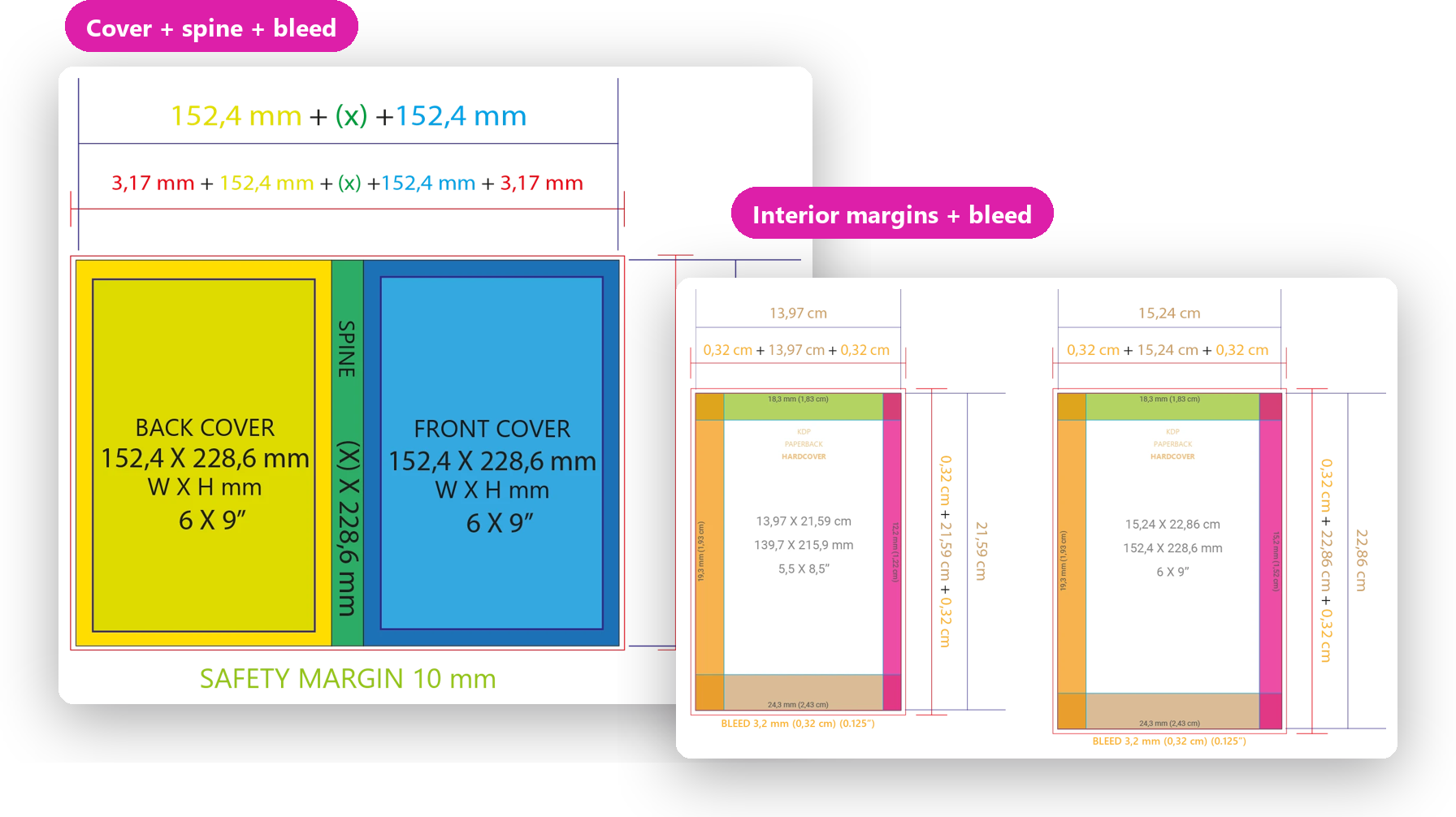
Paperback cover: back cover, spine and front cover in one file, with 0.125 in (3.2 mm) bleed all around.
Spine (x): its width depends on your page count and paper. The spine calculator in the One Tools Pro bonus does the math.
Safe area: keep text and logos 10 mm (0.39 in) inside the trim, and 1.6 mm (1/16 in) from each side of the spine.
Interior template · 6 × 9 in
6 × 9 in page with 0.125 in (3.2 mm) bleed all around, for images that run to the edge.
Mirrored margins: 0.72 in top, 0.96 in bottom, 0.76 in inside (gutter) and 0.6 in outside.
Text area: 4.64 × 7.32 in, already set in the template. Paste your text and start your layout.
Your software, your choice
Use the software you already have, or a free one
Every size comes ready for InDesign, Affinity, Scribus and Word, with the same trim, margins and bleed. Since October 2025, Affinity is a free professional layout app for Mac and Windows, and the templates open right in it: you can lay out your book without paying for software.
- Affinity: free, for Mac and Windows. Interior and cover templates
- Scribus: free and open source, for Mac, Windows and Linux. Interior templates
- Word: with Microsoft 365 or Office. Interior templates in 3 bleed versions
- InDesign: with an Adobe subscription. Interior and cover templates
How it works
From manuscript to print-ready file
1. Pick your size
Choose your trim size in the chart and open its template in InDesign, Affinity, Scribus or Word.
2. Add your text
Pages, margins and bleed are ready. Paste your manuscript, add your chapters and images.
3. Export and upload
Export a print PDF and upload it to Amazon KDP, IngramSpark or Lulu.
Compare
What it costs to format a print book
| Option | Cost | What you get |
|---|---|---|
| Free KDP Word templates | Free | Page size and margins in Word, for KDP only. No covers. |
| Hiring a formatter | Usually $100–$500+ per book | A finished file for one book. |
| Formatting software | About $150–$250 | An app with ready-made themes for the interior. Covers not included. |
| Book Layout Templates | $89.90 once | 39 trim sizes, 4 programs, interiors and covers, for KDP, IngramSpark and Lulu. Unlimited books, yours or your clients'. |
Bonuses
Two extras to finish and show your book
3 months of One Tools Pro
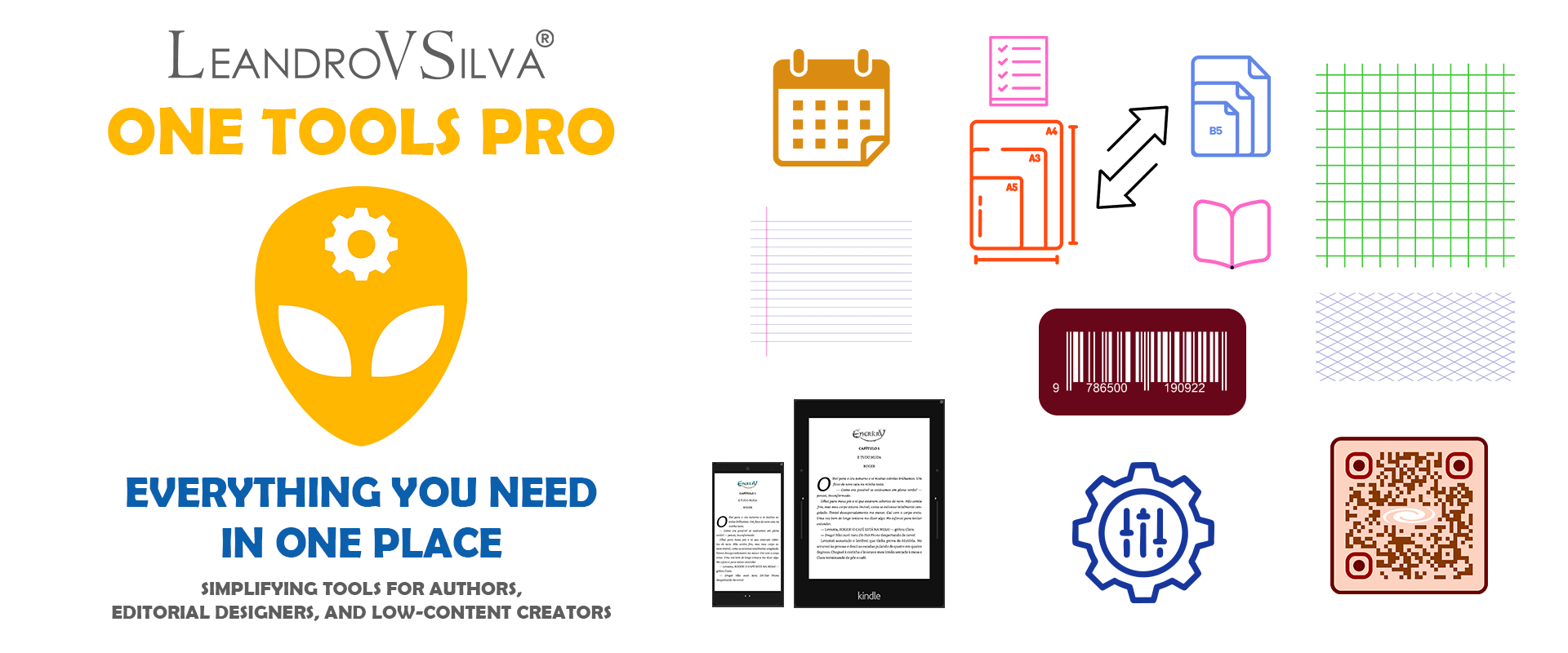
- Spine and cover calculators
- Barcode and QR code generators
- Standard paper size comparator and Canva interior template generator
- Story planner, character sheets, names and color palettes
- Advanced writing, proofreading, ebook layout and PDF Studio
3D book mockup plugin for WordPress
Show your covers and interiors in 3D on your own website or build an interactive portfolio. It’s the plugin I use on my own portfolio site. Try it here: click the book.

Os Irmãos do Gelo
Book Layout Templates
Everything included
- Interior templates in 39 trim sizes for InDesign, Affinity, Scribus and Word
- Paperback and hardcover cover templates (InDesign and Affinity)
- Trim size chart (PDF)
- Unlimited use: your books and your clients' books
- Bonus: 3 months of One Tools Pro
- Bonus: 3D book mockup plugin for WordPress

Made by an indie author
Hi, I'm Leandro
I’m Leandro Vieira da Silva, a Brazilian author and book designer. I published my first novel, Os Irmãos do Gelo, the first book of the Enerkry series, in 2018. In 2022 I left my job of many years to found LeandroVSilva STUDIO and help other authors publish their books.
These templates come from that work: they are the files I use to lay out print books, adapted to each project, now in English and in 39 trim sizes for Amazon KDP, IngramSpark and Lulu. The 3D book plugin in the bonus is the one I use on my own portfolio site.
FAQ
Frequently asked questions
Amazon KDP, IngramSpark and Lulu. The table above shows which sizes each platform accepts. Any printer that takes a PDF with bleed can also use them.
One of these: InDesign, Affinity, Scribus or Word. Affinity and Scribus are free, Word comes with Microsoft 365 or Office, and InDesign needs an Adobe subscription. The sizes, margins and bleed are the same in every program, so you can create your book with the one you prefer.
This package has files for InDesign, Affinity, Scribus and Word. If you prefer Canva, the One Tools Pro bonus includes a Canva interior template generator.
InDesign (.indd and .idml), Affinity (.af), Scribus (.sla) and Word (.docx) interiors in every size, paperback and hardcover covers for InDesign and Affinity, and the trim size chart in PDF.
Yes. The paperback cover templates have the spine area, bleed and safety margin. The spine width depends on your page count and paper, so check it on your platform (or with the spine calculator in the One Tools Pro bonus) and adjust the spine in the template.
Yes. Use the templates as many times as you want, for your own books and for the books you lay out for your clients. The only thing you can’t do is resell or share the template files themselves.
Both. Every size is listed in inches and millimeters, and the measurement chart also has centimeters, margins and bleed.
Yes. Right after your purchase you get access to the members area. If it’s not what you were looking for, ask for a full refund within 7 days.
Yes. Payment is processed by Kiwify, a secure checkout that accepts international payments.
The templates and the members area are yours for as long as the platform exists. The One Tools Pro bonus lasts 3 months.
The full amount goes back to the original payment method. On credit cards, it shows up on your current or next statement.
Ready to publish with confidence?
Get every template in 39 trim sizes for $89.90. One payment, instant access.

