Understanding Print Book Layout Calculations on Amazon KDP

Amazon prints books through KDP, in both paperback and hardcover. KDP’s official system works in inches, while most layout software and many designers work in millimeters or centimeters. Converting between the two is where most print book layout mistakes happen, so this guide shows every calculation in both units.
KDP is strict about final files, so let’s go through every point to make sure we build our files correctly: the Interior and the Cover.
Interior for KDP Print Books
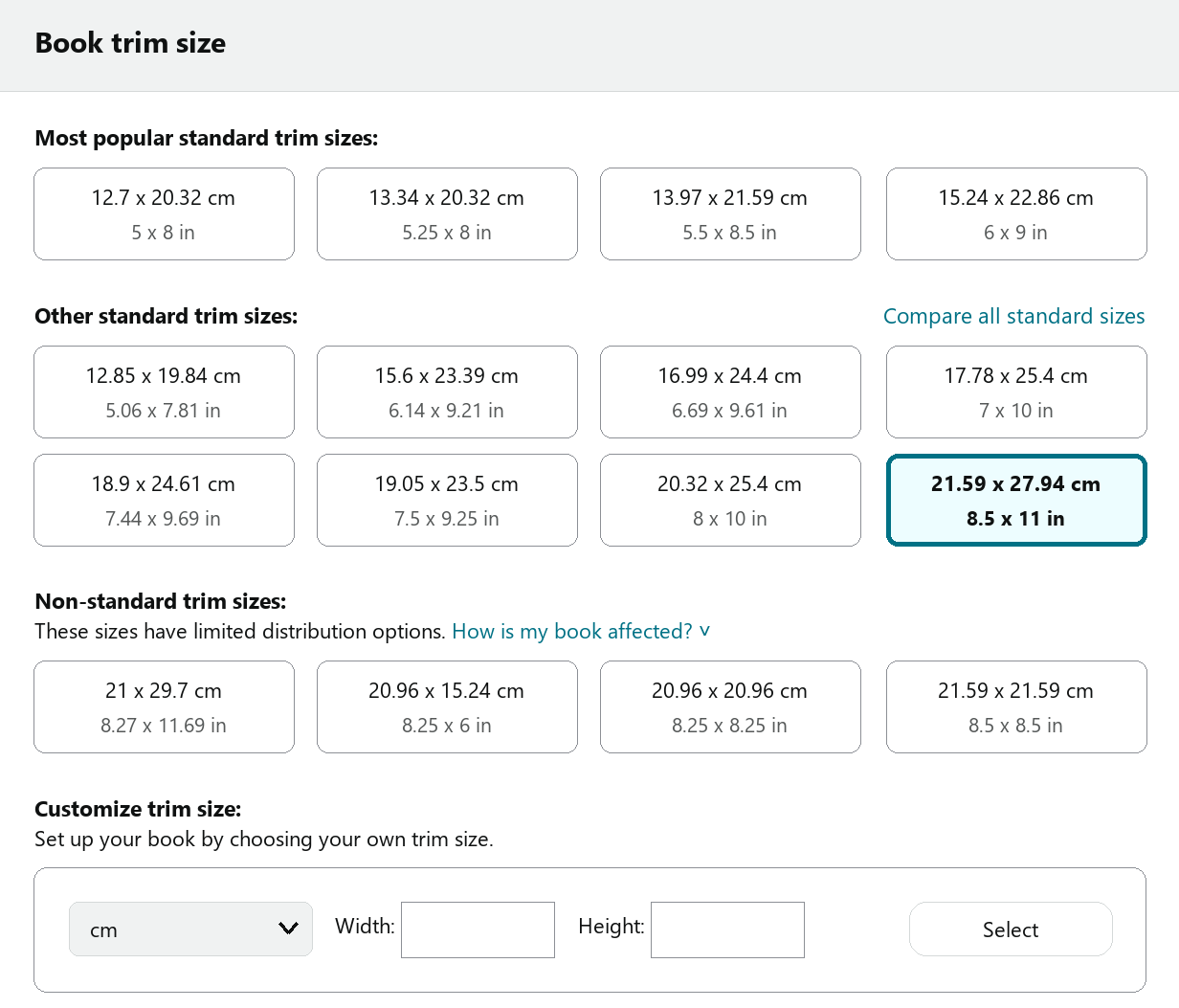
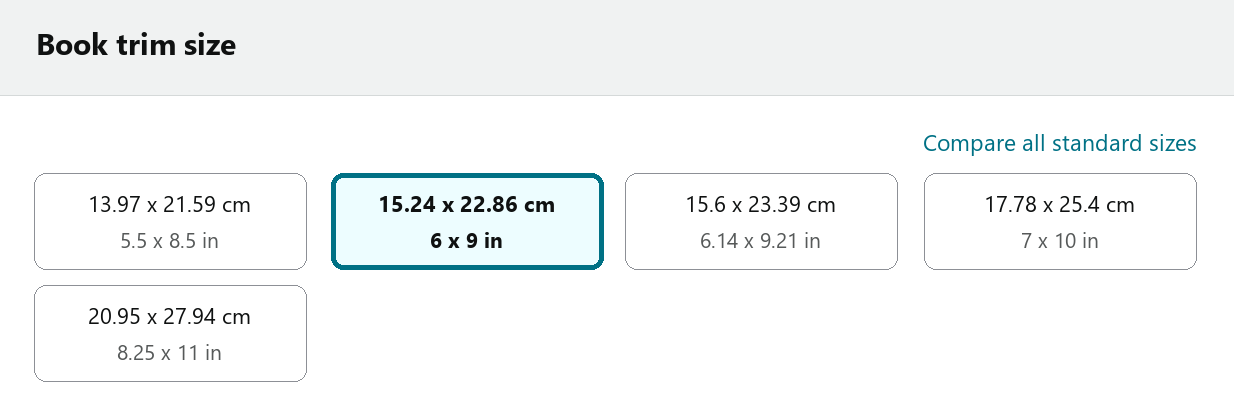
KDP offers many trim sizes. Choose the standard, most popular sizes whenever you can: they keep printing costs lower because they make better use of the paper.
PAPERBACK
HARDCOVER
The most popular sizes for fiction and nonfiction books are:
5.5 x 8.5″ (13.97 x 21.59 cm) and 6 x 9″ (15.24 x 22.86 cm)
For coloring books and children’s books, 8.5 x 11″ (21.59 x 27.94 cm), the same as US Letter, is very common.
There’s no absolute rule for choosing a size. It all depends on the type of book and how you want to present your work, your product.
Once you’ve chosen the size, you need to understand the calculations for the interior layout.
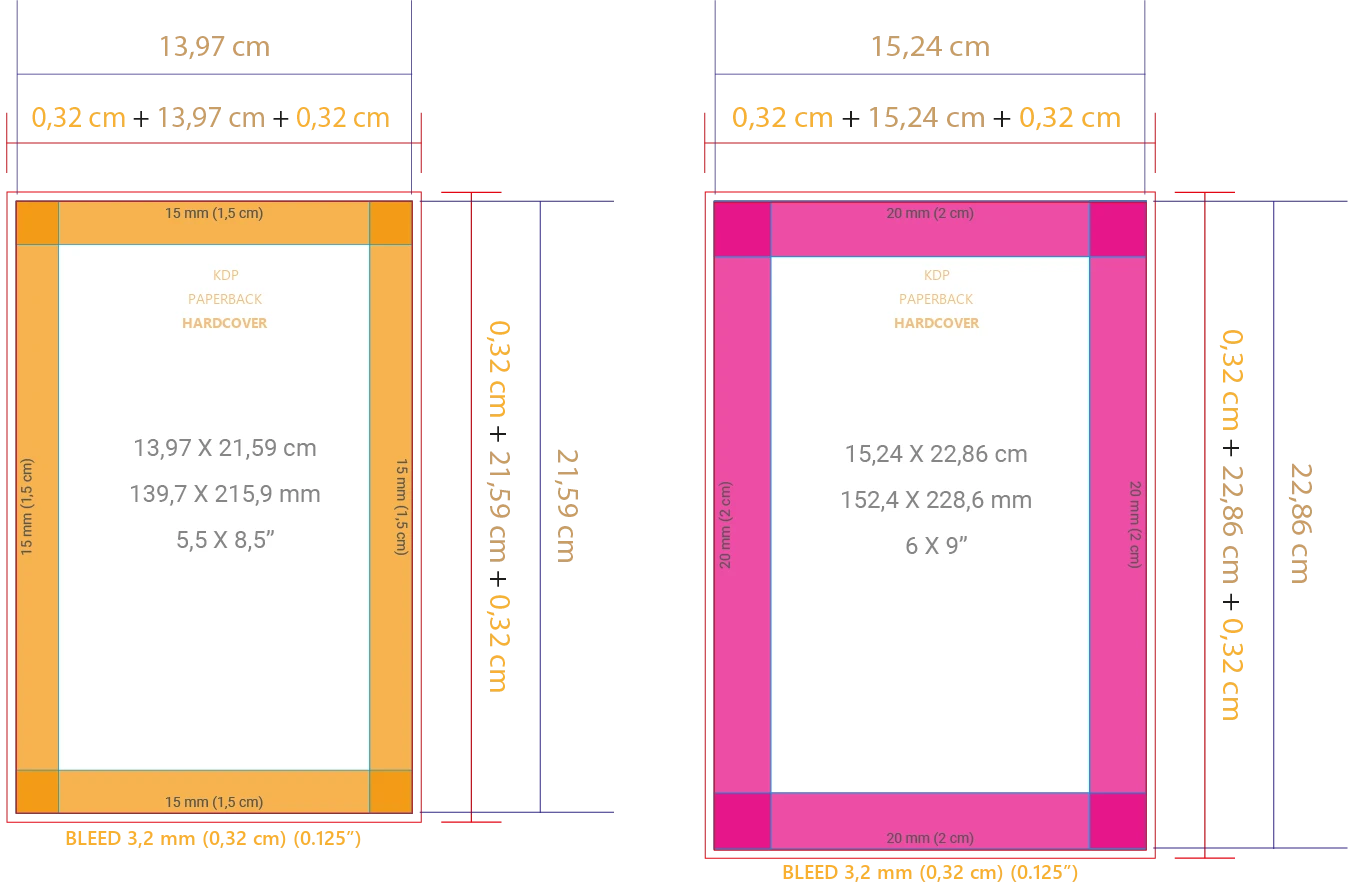
Below are the margins I use in my layouts. They’re not an absolute rule: you can adjust them to your taste, but keep at least 1 cm (about 0.4″) on every side of the interior.
UNIFORM MARGINS
MIRRORED MARGINS
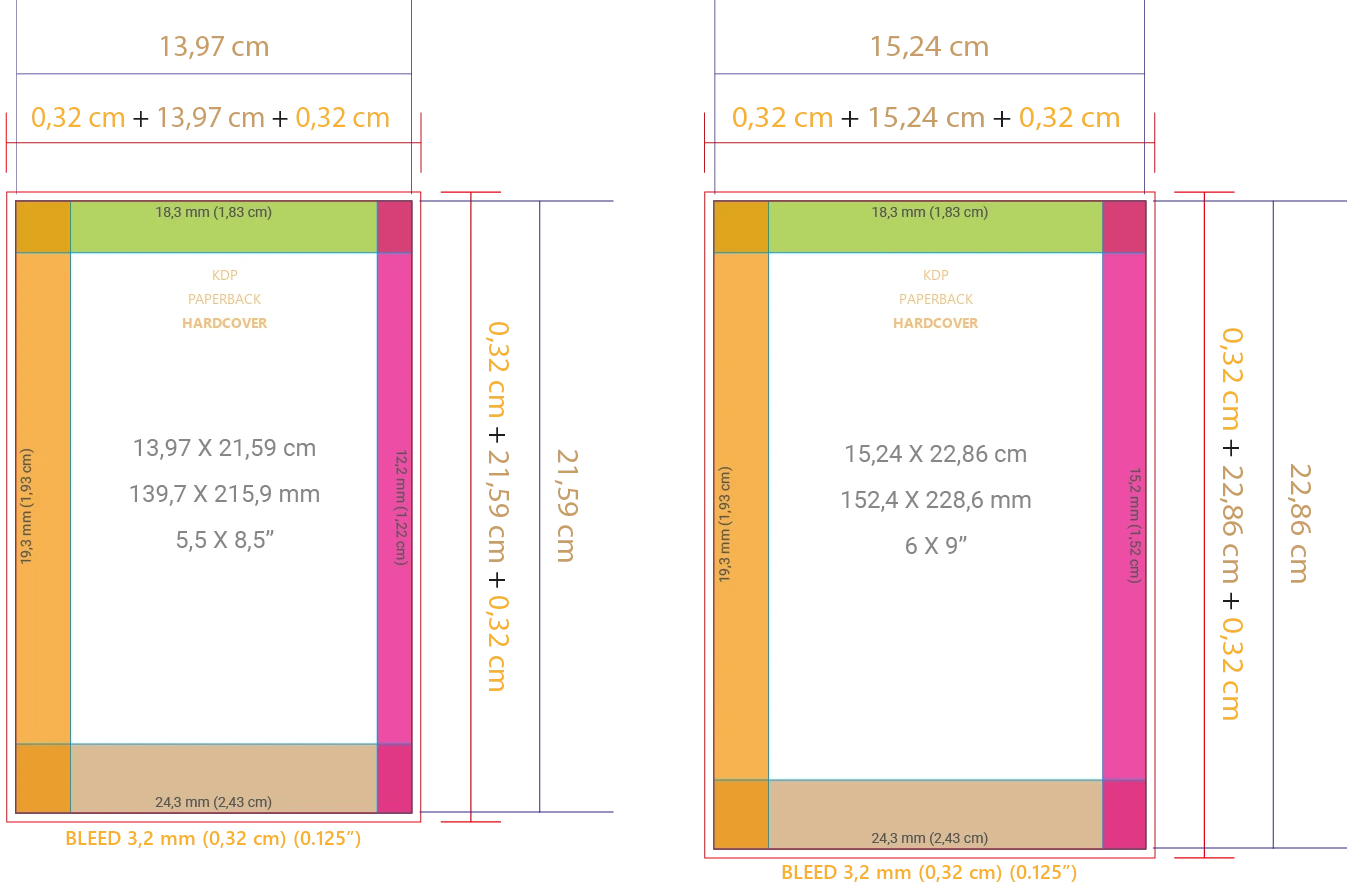
For literary and fiction books, prefer mirrored margins. For coloring books, children’s books and projects that don’t depend on text flow, you can use uniform margins (the same margin on every side).
The standard bleed used by KDP for the interior is 0.125″ (3.2 mm / 0.32 cm).
If you don’t know what bleed is: it’s the part of the design that gets trimmed off so the paper can be cut cleanly.
Cover for KDP Print Books
Before you start designing your print book cover, you need to know your interior‘s final page count. It’s essential for calculating the spine width, so you need to lay out the content of your book first.
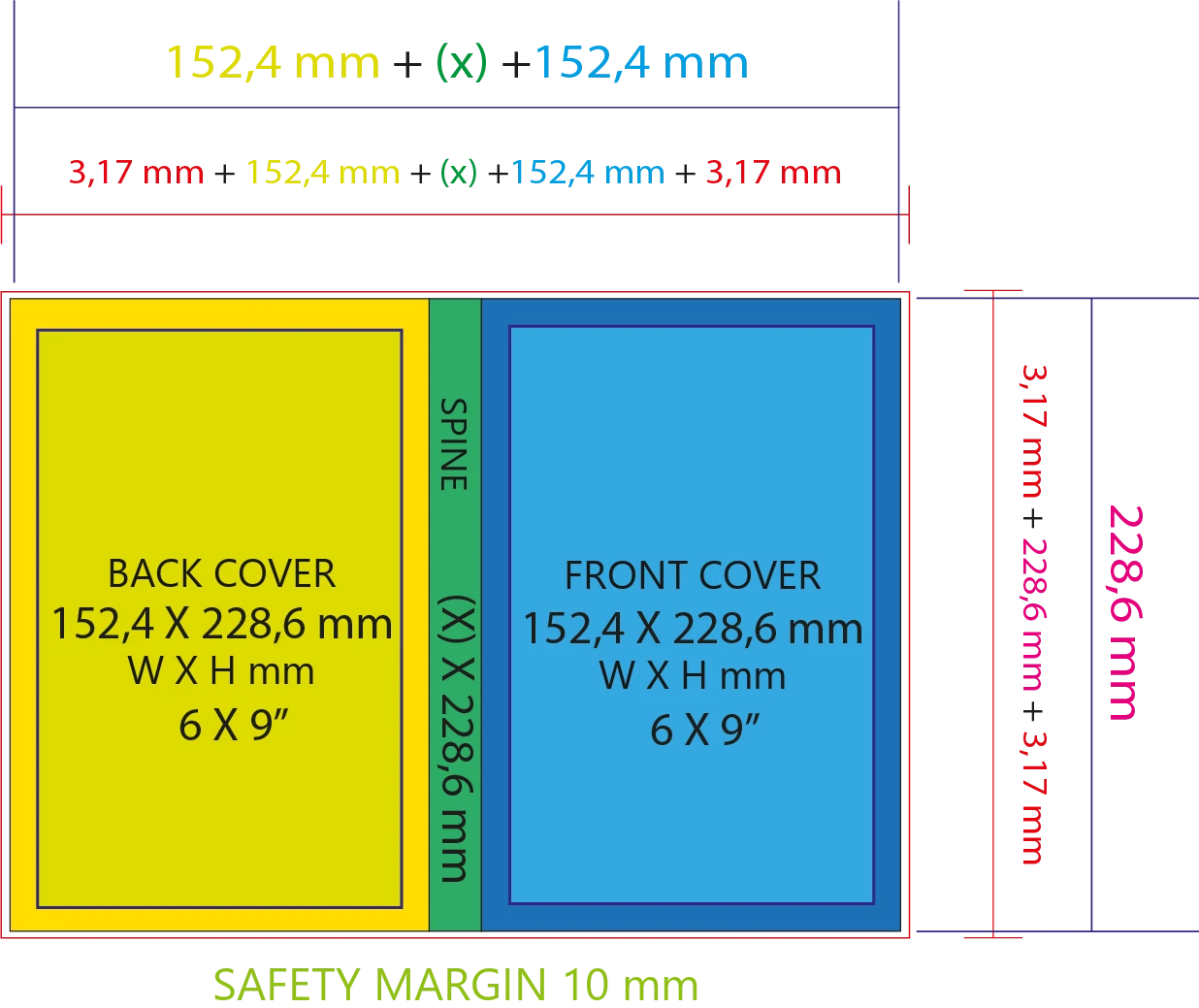
The cover size must match the INTERIOR trim size you chose. HARDCOVER has a few different parts, but KDP has its own calculator that gives you the guides and measurements.
ATTENTION: Books with very few pages may need a saddle-stitched (stapled) binding. Check the limits on the platform or printer you choose.
KDP book covers don’t have flaps. With the help of the calculator, all you need to do is build your cover.
It may seem complicated, and in part it is. That’s why I developed a practical solution to generate your cover templates, calculating everything easily by simply selecting the measurements. Best of all, it’s integrated with Canva.
Once your project is laid out, just export it as a print-ready PDF and go ahead with publishing.
Keep fighting and always moving forward🚀