
HOW TO CREATE A SAMPLE OF AN EBOOK PUBLISHED ON AMAZON?

Did you know you can create a sample of your eBook straight from the Amazon website? I figured, that’s why I’m here!
With it you take part of your book, for free, to readers so they can get to know your writing: in a link that opens in the browser or in a reading window inside your website.
How to create the eBook sample
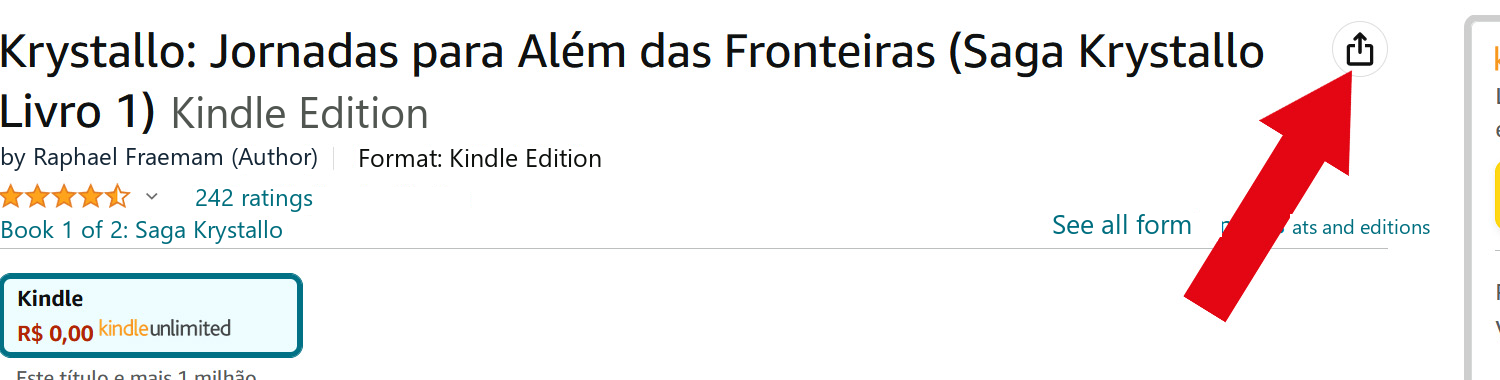
- Search for your book on the Amazon website and open the eBook page.
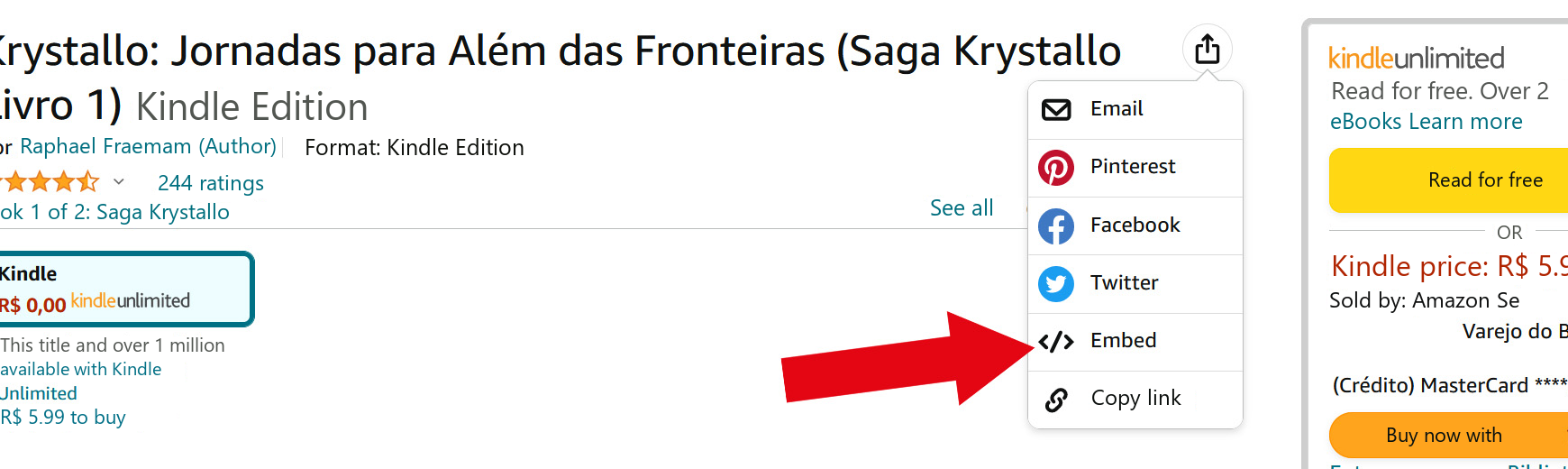
- Look for the share icon, shown in the image below.
- Among the sharing options, choose </> Embed.
Option 1: direct reading link
With the first option you get the direct link to the sample, which opens in any browser for reading, with no app needed. It’s great for social media, email and messaging apps.
If you're an Amazon Associate and have SiteStripe active in your browser, it recognizes your ID and asks if you want to add it to the link. That way the sample also earns you commission.

Option 2: sample window on your website
With the second option you place a sample window on your website. An HTML code is generated, and you can change a few settings for how the sample cover will appear. In WordPress, paste the code into an HTML block.
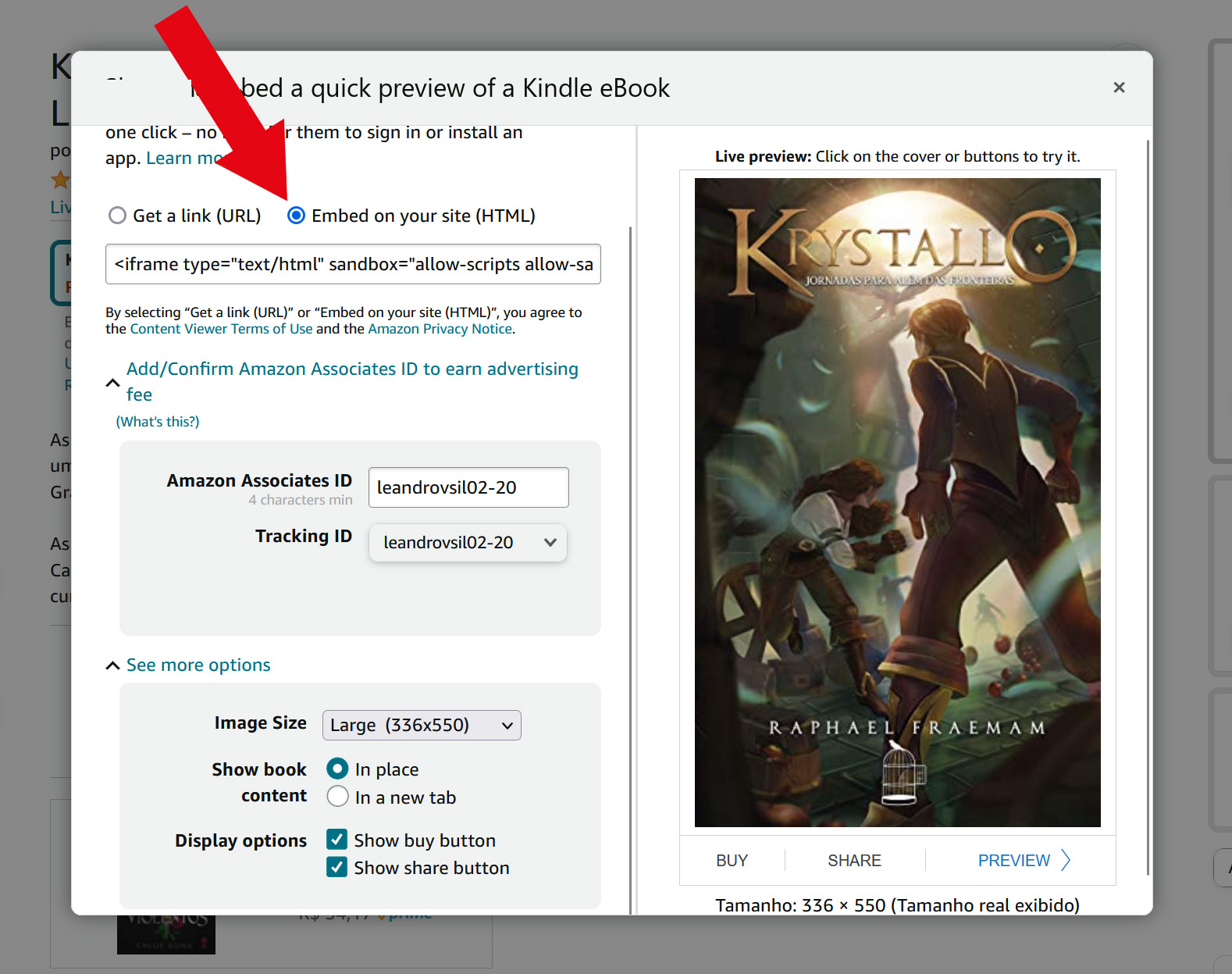
See how the book looks embedded on the site:
Having a website to bring your books together makes all the difference; see why every writer needs a website.
Frequently asked questions
How much of the book shows in the sample?
Amazon shows the beginning of the book, usually around 10% of the eBook.
Does it work for print books?
The sample window is for the eBook (Kindle). If the book only exists in print, use the “Read sample” on the book page itself.
Can I create samples of other authors' books?
Yes, the feature exists on any Amazon eBook. It’s widely used in reviews and reading lists.
Tools and resources
Do you already use your eBook sample to promote it? Tell me in the comments where it works best for you.