
HOW TO RUN A FREE EBOOK PROMOTION ON AMAZON?

If you have an eBook published on Amazon through KDP and enrolled in KDP Select, you can use the Free Book Promotion: your eBook is free for up to 5 days in each 90-day enrollment term.
There are two ways to get to this feature. I’ll show you both.
Way 1: from the Marketing tab
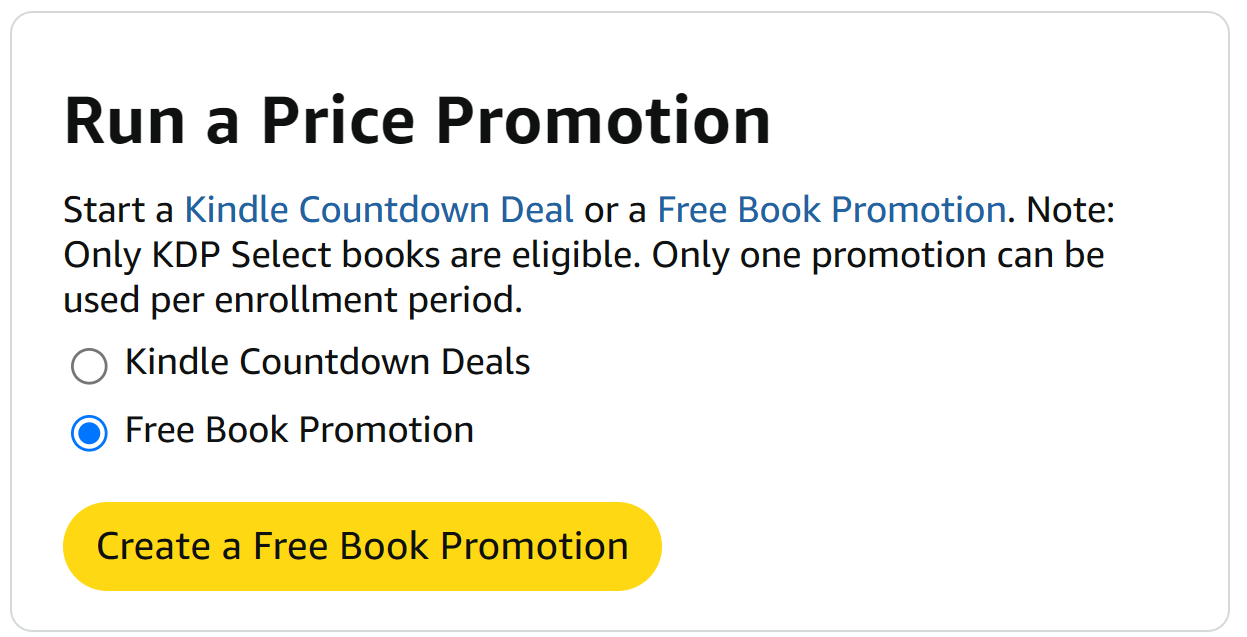
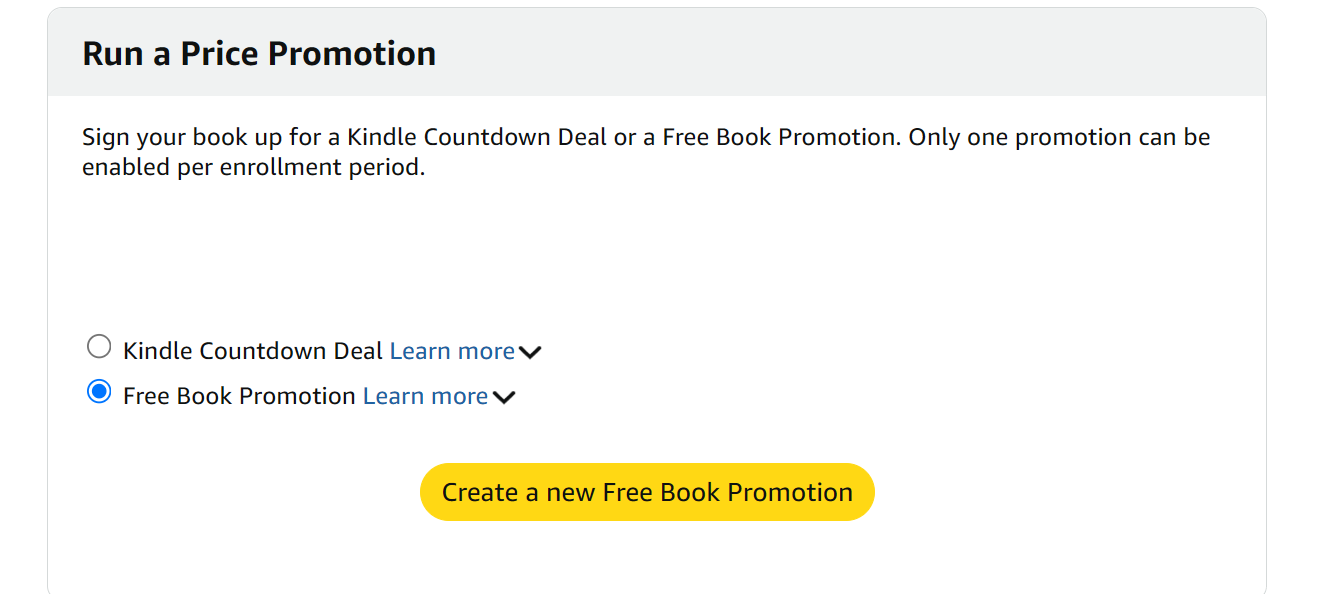
- In KDP, open the Marketing tab and scroll down to the Run a Price Promotion box.
- Select Free Book Promotion and click Create a Free Book Promotion.
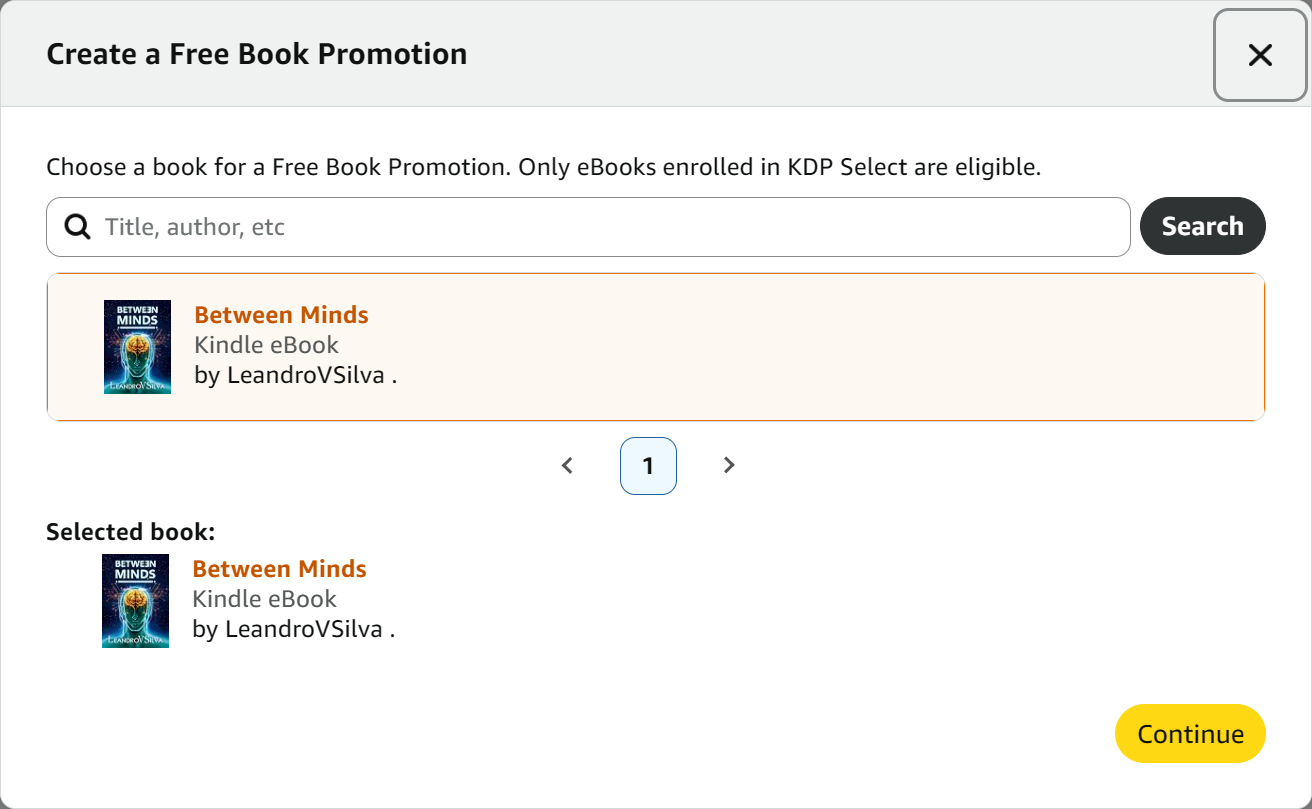
- Choose the eBook (only titles enrolled in KDP Select appear) and click Continue.
- Set the Start Date and the End Date of the promotion and click Save Changes.
On the Edit Free Book Deal page, dates follow Pacific Time (US): if you enter January 3 to January 7, the promotion runs on January 3, 4, 5, 6 and 7.
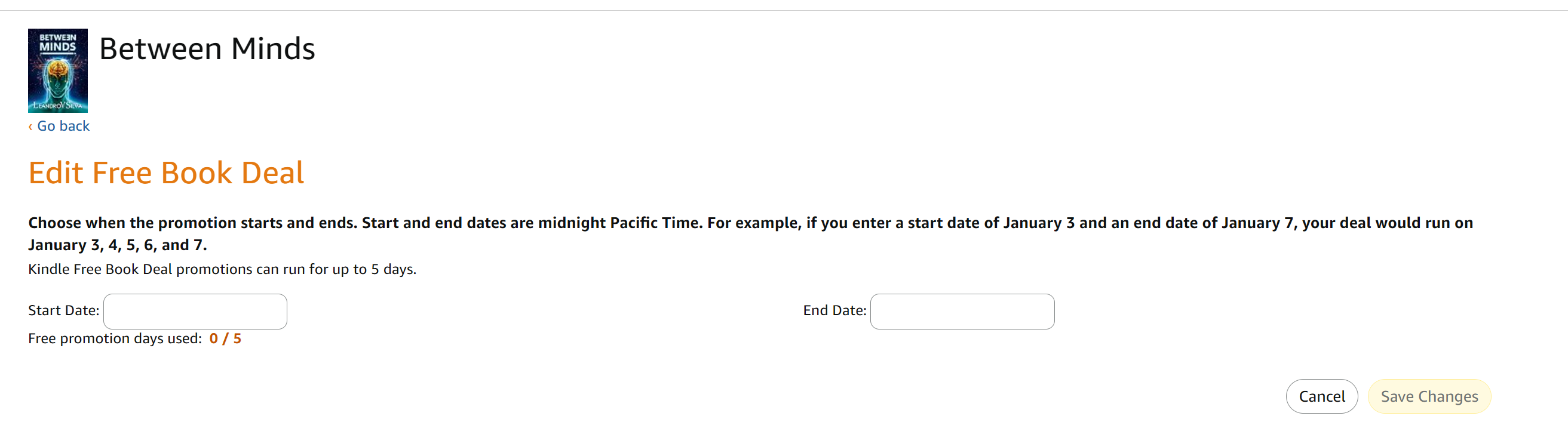
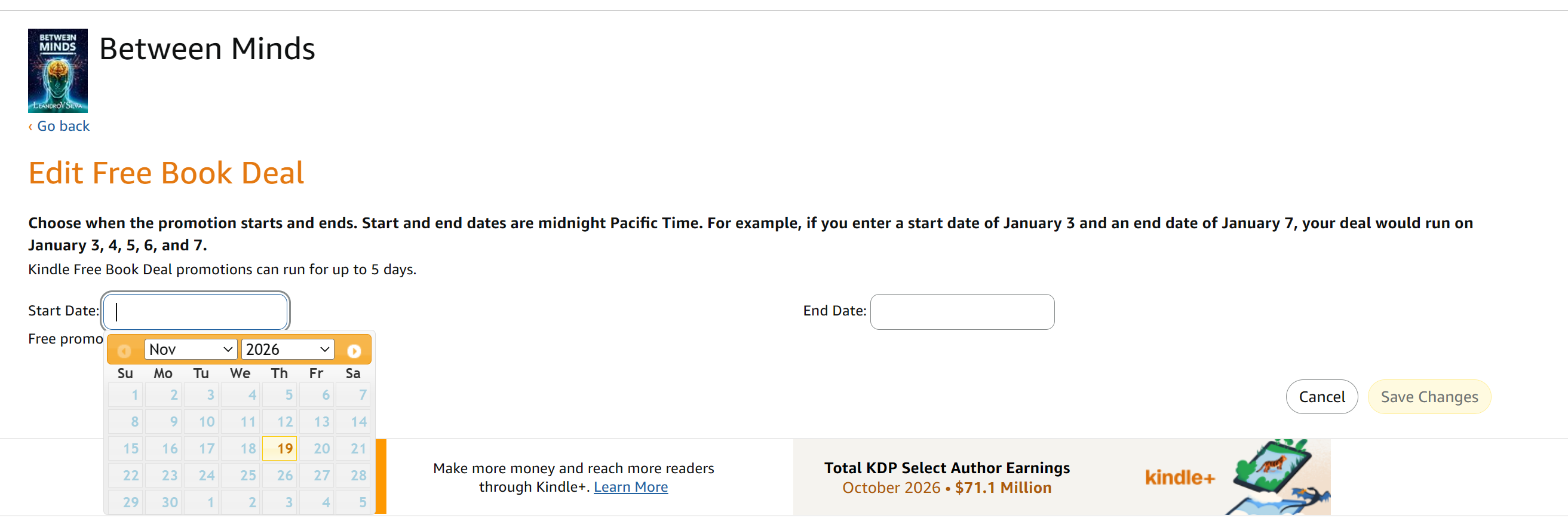
Right below the dates, KDP shows how many of the 5 days you have already used in the term.
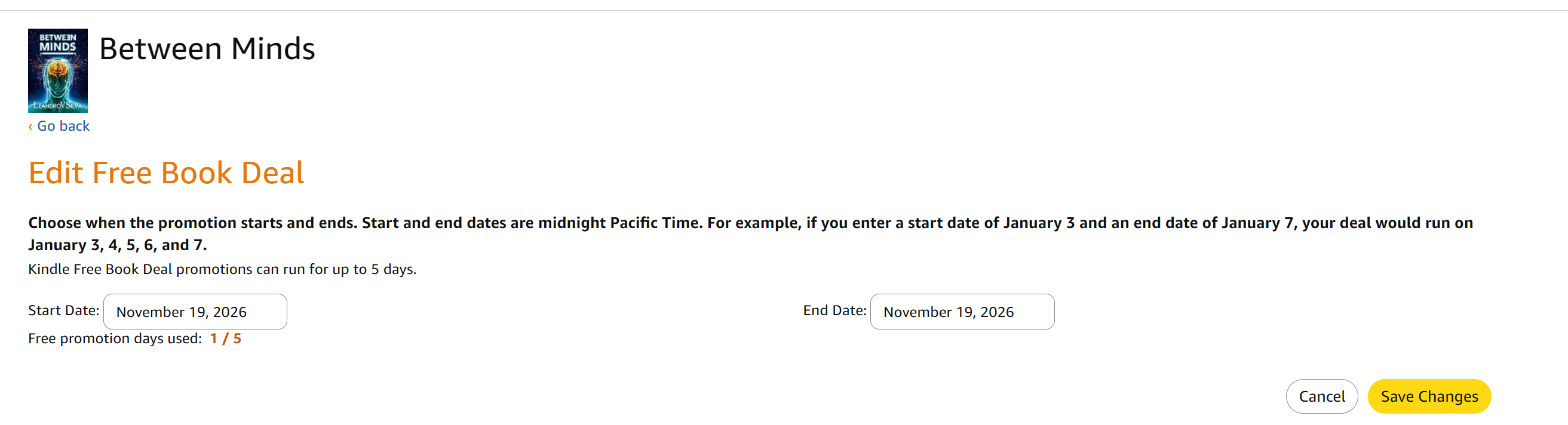
You can use the 5 days however you like: one day at a time, or 2 days now and 3 next week. But they apply to each 90-day KDP Select term. If you don't use them, they don't carry over. And if there are only 2 days left before KDP Select renews, the calendar only allows those 2 days; the other 3 are lost.
In each term you choose one type of promotion: a Kindle Countdown Deal (a time-limited discount, available on Amazon.com and Amazon.co.uk) or a Free Book Promotion.
Way 2: from your Bookshelf
On your KDP Bookshelf, click Promote and Advertise next to the eBook. If it is a Kindle Translate translation, go to Manage translations, open the Manage eBook menu and click Promote and advertise. A page opens with the promotions you can run and the book’s KDP Select status, with the next renewal date.
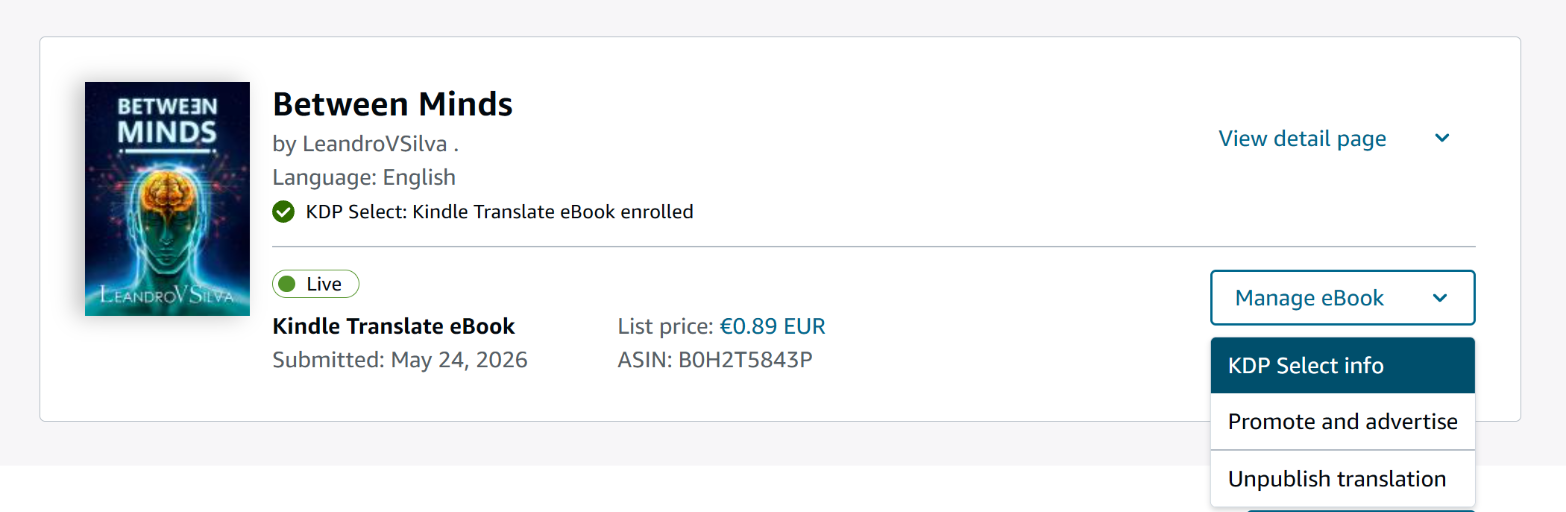
In the Run a Price Promotion box, select Free Book Promotion, click Create a new Free Book Promotion and set the dates, just like in the first way.
How to edit or delete the promotion
On the Promote and advertise page, your upcoming promotions are listed at the bottom. Click Edit to change the dates, or delete the promotion and confirm.
How to make the most of the free promotion
Use this feature to spread your books and build your readership, especially if you are a new author.
- Announce it beforehand: tell your social media followers, your email list and your messaging groups when the promotion starts.
- Group the days together to climb the free bestseller rankings and gain visibility.
- Use it with a series: make the first book free and lead readers to the next ones.
- Ask for reviews at the end of the eBook: readers who downloaded it for free can review it too.
Want your eBook to be free permanently? See how to make an eBook permanently free on Amazon.
Frequently asked questions
Can I run a free promotion without KDP Select?
No. The Free Book Promotion is a KDP Select benefit.
Do I earn royalties on free downloads?
No. Free downloads don’t pay royalties, but they help with visibility, reviews and sales of your other books.
Does it work for paperbacks?
No, only for eBooks enrolled in KDP Select.
Tools and resources
Have you ever run a free promotion? Tell me in the comments how many downloads you got.