
HOW TO ARCHIVE A BOOK ON KDP?

A handy option that KDP added is being able to hide from your Bookshelf the books we no longer want to sell or see all the time, without having to delete them.
The process is very simple, so let’s go step by step.
How to archive a book on KDP
- Go to the book you want to archive on your KDP Bookshelf.
- Click Manage title, at the top right of the book, and then Archive title.
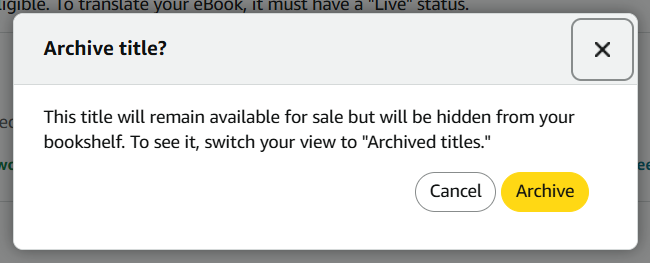
- Read the message and confirm with Archive.

The message explains that the title stays hidden but remains available for sale. If you no longer want to sell it, unpublish it first.
Where archived titles go
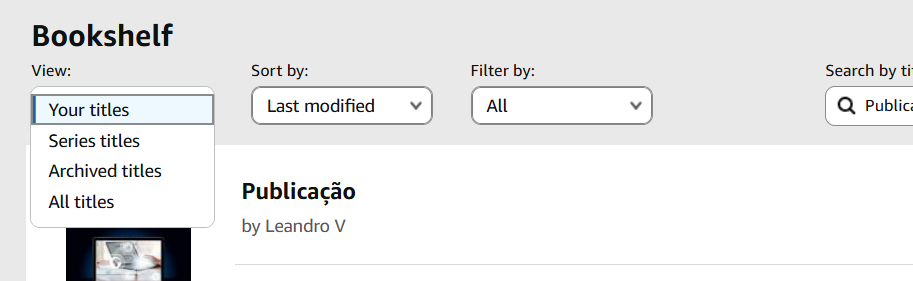
The book disappears from your Bookshelf. To see it again, use the View menu and select Archived titles.
Archive, unpublish or delete?
| Action | What happens |
|---|---|
| Archive | Hides it from your Bookshelf; the book stays on sale and can be unarchived |
| Unpublish | Takes the book off the store; it goes back to draft on your Bookshelf |
| Delete | Deletes the draft for good; it can't be recovered |
To delete it permanently, click the […] menu of the format and then Remove eBook (or the print format). It only shows up for books that are not published.
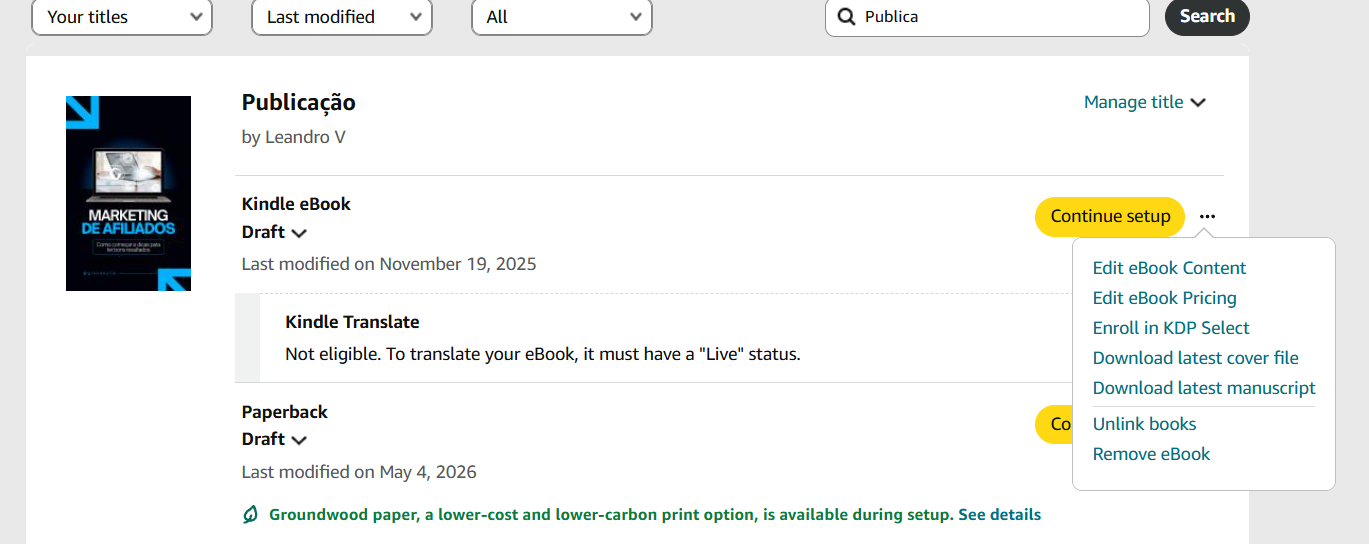
Once deleted, the book can't be recovered. When in doubt, archive it instead.
Frequently asked questions
Is an archived book still on sale?
Yes. Archiving only hides it from your Bookshelf. To take it off the store, unpublish it.
Can I unarchive it?
Yes: in the Archived titles view, open the book’s Manage title menu and choose to unarchive it.
Does archiving delete the sales reports?
No. The sales and royalty history stays in your reports.
Tools and resources
Any questions about your KDP Bookshelf? Leave them in the comments.