
HOW TO SEND AN EBOOK AS A GIFT ON AMAZON?

Sending an eBook as a gift through Amazon is a quick and easy way to give someone a digital book. And, for authors, it’s also a practical way to send your book in giveaways, partnerships and reader campaigns.
Let’s go step by step. The screenshots are from the Amazon Brazil store; in other countries the path is the same in stores that offer the option.
How to send an eBook as a gift
- Sign in to your Amazon account.
- Find the eBook you want to send as a gift.
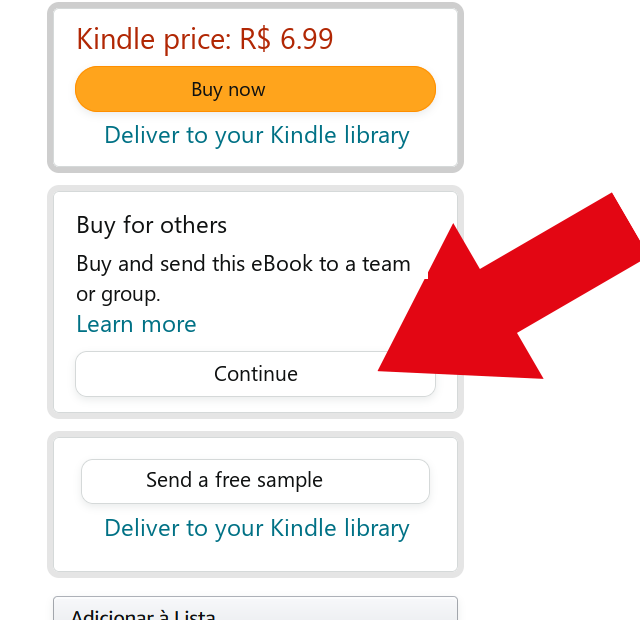
- On the product page, click Buy for others and then Continue.
You’ll have two delivery options:
- Send by email: the recipients get the redemption link straight to their email.
- Get the links: you receive the links and send them however you like (messaging apps, text, a card).

Option 1: send by email
Enter each recipient’s email, personalize the message and, if you like, choose a delivery date. The quantity and price go up as you add more emails. Then just click Proceed to checkout and complete the purchase.
The delivery date can be set up to 45 days after the purchase. Great for birthdays and special dates.
The recipient gets an email with instructions to access the digital book.

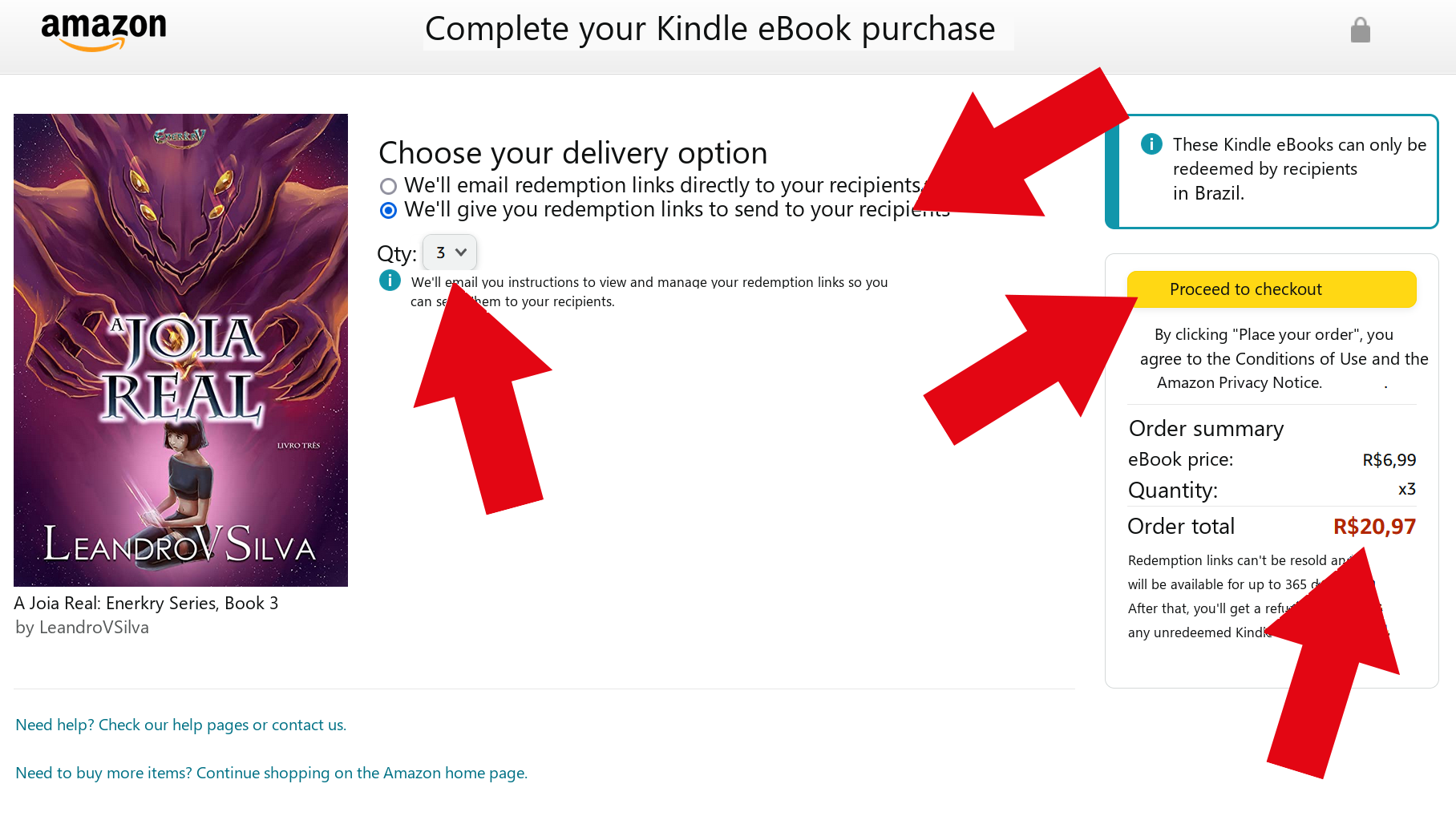
Option 2: get the redemption links
Set the number of redemption links, click Proceed to checkout and complete the purchase. You’ll receive an email with instructions to view and manage the links and send them to the recipients.
An Amazon account and a device to read on: a Kindle or the Kindle app on a phone, tablet or computer. Gifts can only be redeemed by accounts from the same country as the store where they were bought (a gift bought on Amazon.com, for example, goes to a recipient in the United States).
For authors: gifting as promotion
Gifting your own eBook in giveaways and reader partnerships counts as a sale and helps the book get noticed. If the idea is to reach a lot of people for free, see also how to run a free eBook promotion.
Frequently asked questions
Can I send a gift to someone who lives in another country?
Redemption only works on accounts from the store’s country. For other countries, buy the gift in the Amazon store of the recipient’s country.
What if the person doesn't redeem it?
Under Amazon’s rules, unredeemed gifts can be exchanged for credit or refunded to the buyer.
Does the person need a Kindle?
No. The free Kindle app for phone, tablet and computer is enough.
Tools and resources
Have you ever given someone an eBook? Tell me in the comments.